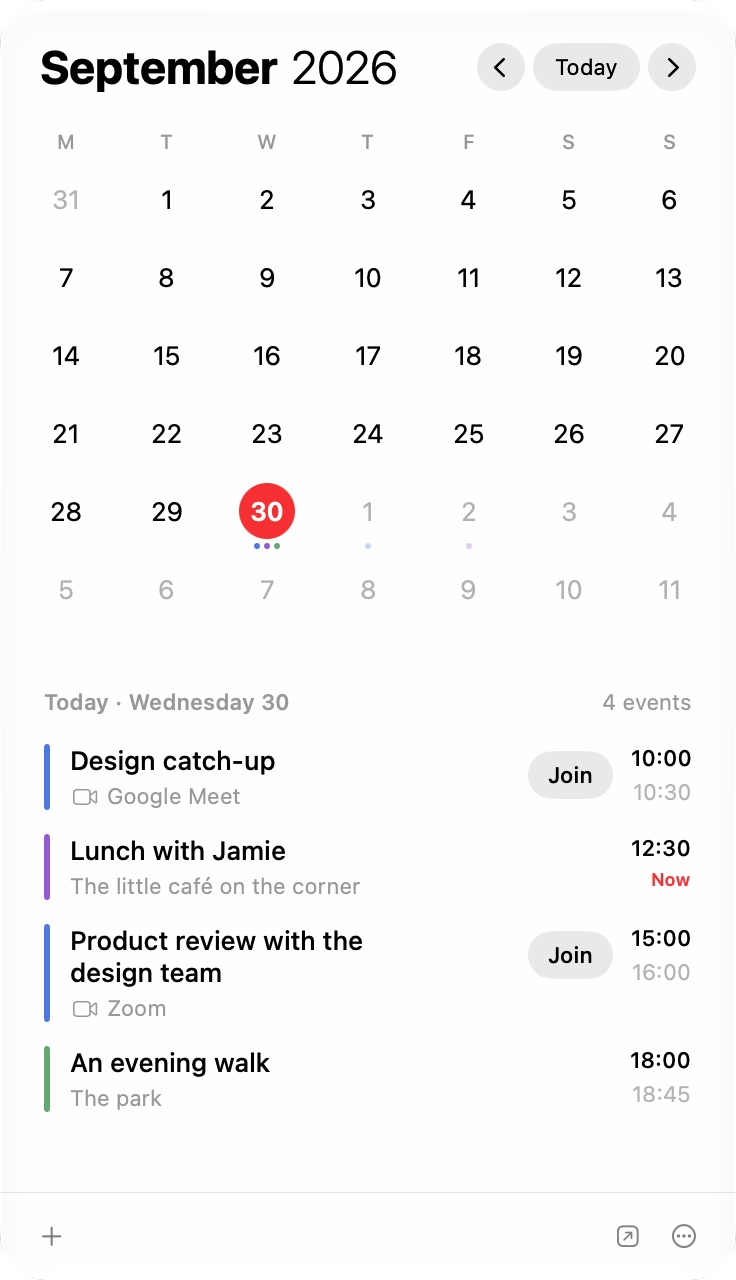
Swipe through the months and see each day’s appointments, with familiar calendar colours and your Mac’s time format.
Everything you need.Already together.
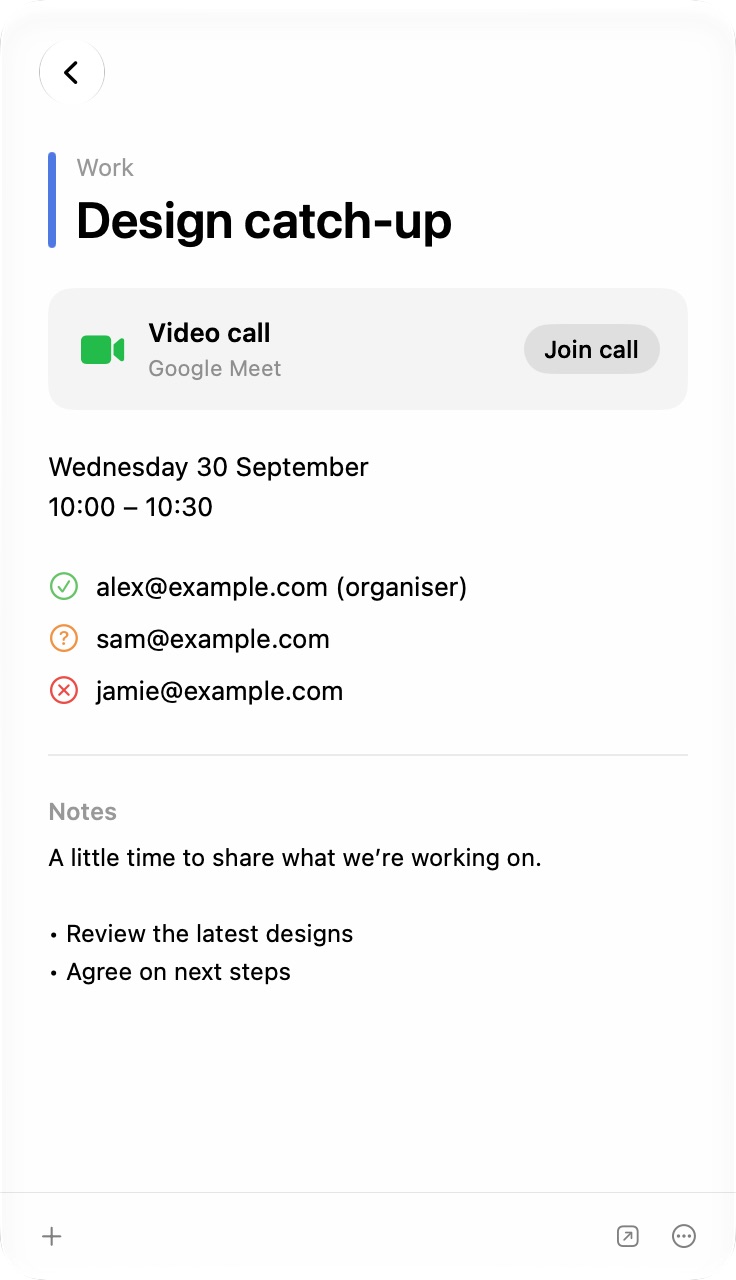
See the time, location, invitation responses and notes. Hover over an invitee to email them, or open the event in Apple Calendar from the footer.
Make roomfor what matters.
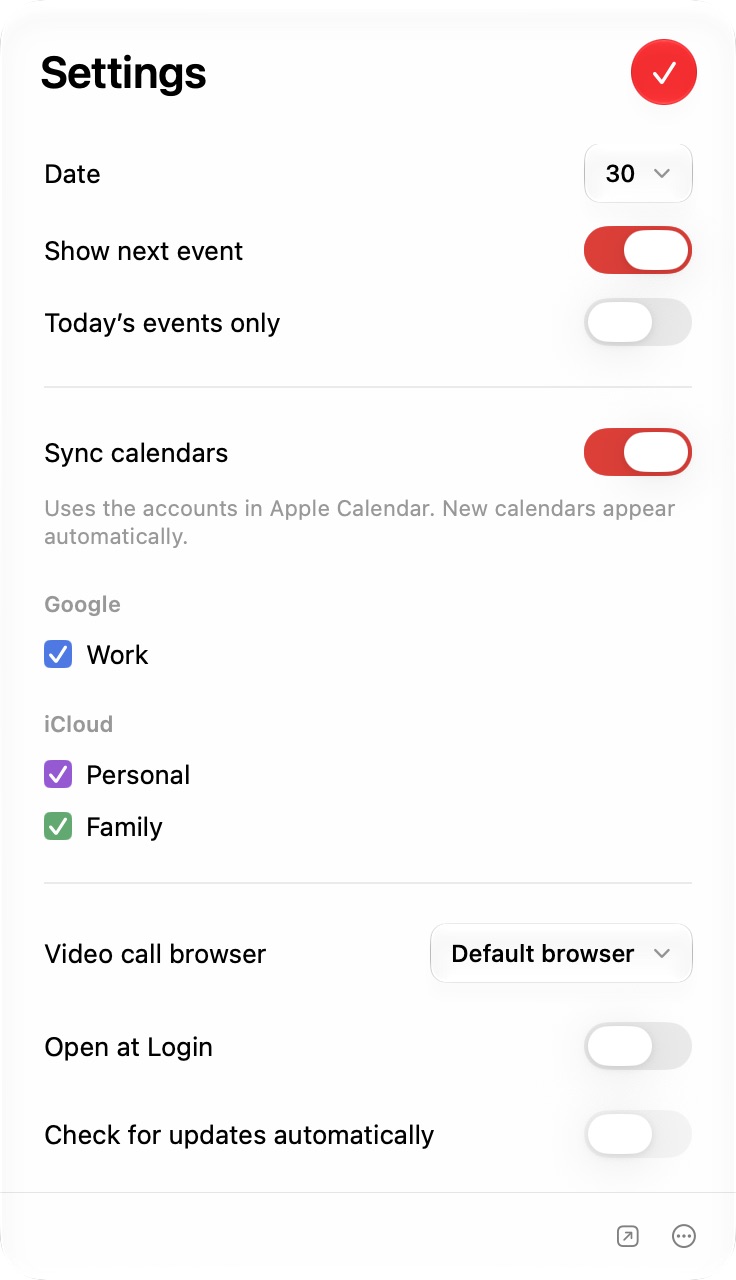
Choose your calendars, date format and meeting browser. Show the next event in the menu bar, or limit upcoming events to today.
Your next meeting. One click closer.
Design catch-upGoogle Meet
Join
Join. Right from the list.
Join directly from your agenda or event details. ⌘-click an upcoming video meeting in the menu bar to join without opening the calendar. You can also hold Option over the menu item to reveal Join, then click.
Your browser. Your choice.
Choose the browser your meetings open in. Use your Mac’s default or select another installed browser. CaliBar remembers for the next call.
Works with supported links from Google Meet, Zoom, Microsoft Teams, Webex and FaceTime.
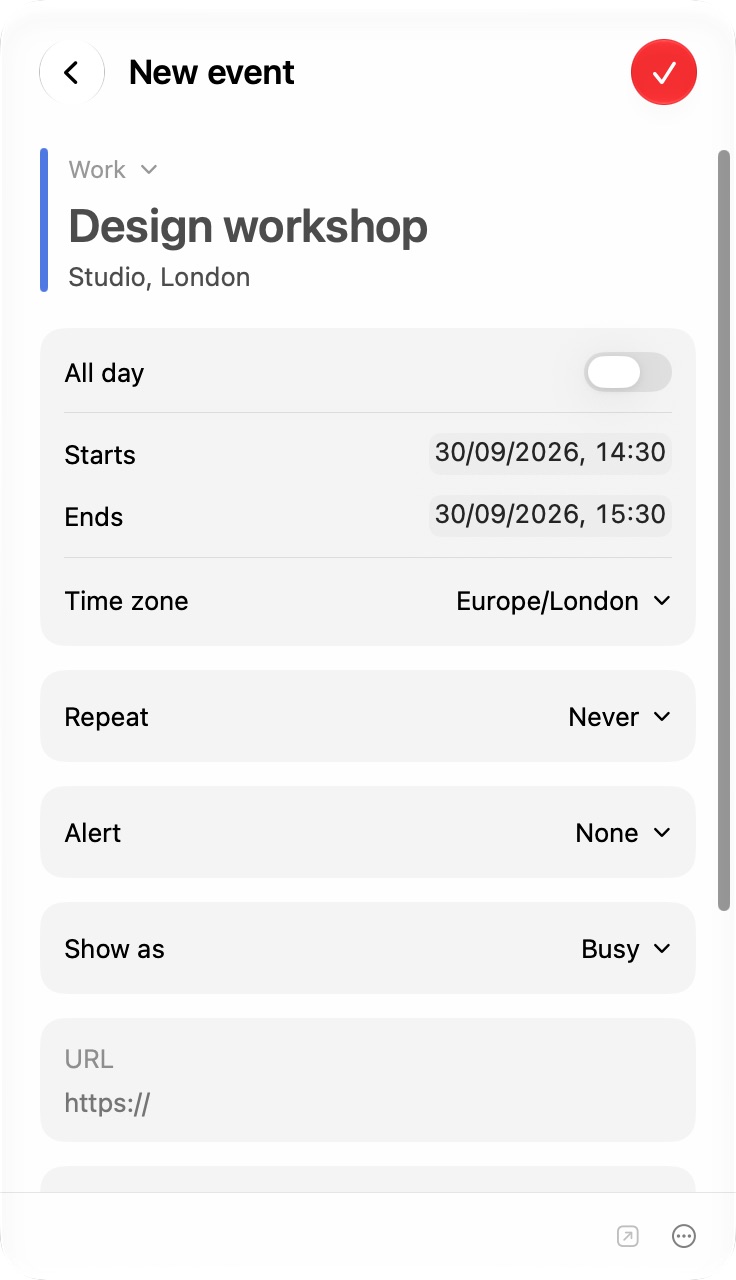
Make a plan. Right here.
Click + or press ⌘N to add an appointment without leaving the menu bar.
Choose a calendar, set the time, and add a location or meeting link. Set repeats and alerts, then save to the calendars you already use.
Ready to save? Press ⌘Return.
SEP30
The calendars you use. Exactly where you need them.
Your calendars, colours and accounts are already in place through macOS. Add appointments right in CaliBar, or open Apple Calendar for everything else.
iCloudGoogleExchange
Just what you need. Set up your way.
The next event. At a glance.
Show your next appointment beside the date. Keep it to today’s events, or look further ahead.
30Design catch-up10:00
Your date. Your format.
Choose how much the menu bar shows: a day number, a fuller date, or just the icon. Times follow your Mac’s locale.
29Tue 2929 Sep
Your calendar. Kept private.
No CaliBar account, no ads and no analytics. Manage calendar access in your Mac’s System Settings.
Your calendars stay with macOS
A few answers.
Does CaliBar replace Apple Calendar?
No. CaliBar keeps your schedule and meeting links in the menu bar, and lets you add events there too. Use Apple Calendar to edit existing events or add invitations, attachments and travel time.
Which calendars work with CaliBar?
Calendars available in Apple Calendar on your Mac, including iCloud, Google and Exchange. Choose which calendars to show in Settings.
Can I choose a browser for meetings?
Yes. Choose an installed browser in Settings → Video call browser, or use your Mac’s default. Both Join buttons use that choice. Meeting websites may still offer to open their dedicated app.
Which video calls can I join?
CaliBar recognises supported Zoom, Google Meet, Microsoft Teams, Webex and FaceTime links in event URLs, locations and notes.
What does my Mac need?
A Mac with Apple silicon or Intel running macOS 14 or later. Liquid Glass is available on macOS 26 and later, with a frosted appearance on earlier versions.
Is CaliBar free?
Yes. Free to download and use. No subscription, ads or CaliBar account.


 iCloud
 Google
 Exchange